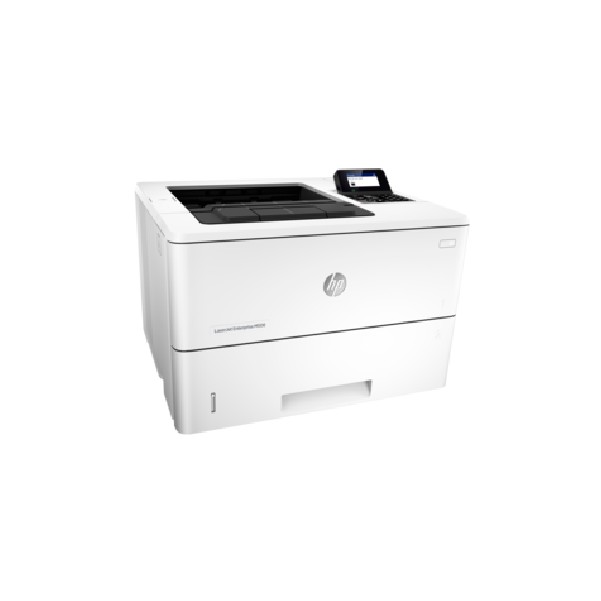
Savin 3705 manuals

Owner’s manuals and user’s guides for Fax machines Savin 3705.
We providing 1 pdf manuals Savin 3705 for download free by document types: Operator's Manual


Savin 3705 Operator's Manual (169 pages)


Brand: Savin | Category: Fax machines | Size: 3.99 MB |


Table of contents

3705/9870

1

SAVIN CORPORATION

2

FAX EXPANSION CARD TYPE 20

3

FCC Requirements

4

EMERGENCY NUMBERS:

4

CAUTION:

6

ENERGY STAR Program

7

Energy Saving Modes

8

Laser Safety:

9

Operator Safety :

9

Examples Of Indications

10

TABLE OF CONTENTS

11

4.Other Features

12

5.Maintaining Your Machine

13

6.Troubleshooting

14

7.Technical Reference

14

8.Installation

15

9.Function List

15

10.Certification Label

15

1. Safety

16

Power And Grounding

19

Other Important Informations

20

THIS CORRESPONDS TO

21

THE LCD DISPLAY

21

2. Machine Layout

22

Machine Layout

23

Operation Panel

24

3. Faxing

26

Page Condition

27

Transmission

28

TRANSMIT OPTIONi

29

DIAL FAX NUMBER

29

TRANSMIT Y/START

29

5551234kkkkkkkkkkkkk

29

G Press the

30

H Press the

30

Dialing with the Telephone

31

Directory

31

F Press

32

G Either :

32

Messages (Faxes/Phone Calls)

33

Setting the Auto Ring Time

34

ADD PAPER appears in the

35

ADD TONER appears in the

35

Resolution & Shading

36

Sending At A Specific Time

37

(Send Later)

37

C Enter

38

Personal Codes

39

Redialing

40

If you dial another party

41

If you dial no more party

41

31 & 32)

42

Speed Dial Numbers (Function

43

G Press

44

H Press a

44

I Press

44

J You now have two choices:

44

(Function 33)

45

Erasing Groups

46

B Press the Quick Dial

47

Dial Options

48

Chain Dialing

50

(Functions 21 & 22)

51

Confidential Reception

53

C Press

54

B Dial the other party

55

E Replace the handset

55

Answering The Telephone

56

To talk before sending a fax

57

4. Other Features

58

Report formats

59

Programming Keystrokes

61

Labeling a program

62

Using a program

62

D Either ;

63

A Confidential ID:

64

Storing a personal code

65

Other Features

67

Tonal Signals

68

D Press

70

Differently (Function 81)

71

Editing the RTI/CSI for the

72

G Either:

73

Forwarding

74

D Change the RTI/CSI

76

Receiving Options

80

Saving Energy

84

E Press

85

Switching the Power Saving

86

Picking up messages stored

88

Operating procedure

88

Entering a Personal Code

88

POLLING RECV OPTIONi

89

F Dial and press the

89

User Function Keys

90

Editing a Function Program

91

Deleting a Function Program

91

Dual Access

92

5. Maintaining Your Machine

94

H Replace the cassette cover

96

ZAXT070E

98

TSTT070N

99

ZAXT010E

99

H Close the top cover

100

ZAXT020E

100

ZAXC040E

100

Maintaining Your Machine

101

D Close the top cover

102

A Open the top cover

102

B Wipe the rollers

102

C Wipe the scanner. ( 6 )

102

C Remove any remaining paper

103

TSTC100N

103

TSTC050N

104

TSTP110N

106

N Replace the cassette cover

107

TSTC220N

107

A Press the

108

B Press the

108

C Press the

108

D Press the

108

6. Troubleshooting

110

Troubleshooting

111

Clearing a Document Jam

112

B Remove the original

112

C Close the top cover

112

ZAXJ030E

112

B Remove the toner cassette

113

ZAXJ040

113

D Replace the toner cassette

114

E Close the top cover

114

TSTJ090N

115

D Replace the main cassette

116

B Open the upper rear cover

116

C Pull out any jammed paper

117

D Close the upper rear cover

117

Length Reduction

118

E Press the

120

Operating Difficulties

122

Displayed Error Messages

128

Error Codes

130

Calling The Service Station

132

7. Technical Reference

134

User Parameters

135

Technical Reference

137

(Function 92)

140

H Adjust the KEY volume with

141

I Press the

141

(Function 93)

142

A Press

143

B Press

143

Documents (Using The Auto

144

Document Feeder)

144

Document Feeder

144

Requirements

144

Paper Requirements

144

Specifications

146

8. Installation

148

Installation

149

A Turn off the power switch

150

D Turn the power switch on

150

ZAXH040E

151

Connecting The Machine

152

ZAXH050E

153

TSTL020N

153

C Turn the power switch on

154

TSTP090N

154

Reference

156

Setting The Access Number

157

Setting The Phone Line

157

(Function 62)

157

Setting The Date & Time

158

(Function 91)

158

Summer Time / Daylight

158

Saving Time (Function 62)

158

C Use the

159

9. Function List

160

Function List

161

10. Certification Label

162

154 UE USA H545

169


More products and manuals for Fax machines Savin

Models Document Type
3740NF Instruction Manual   Savin 3740NF Instruction manual, 222 pages
4000 Operations Instructions   Savin 4000 Operating instructions, 177 pages
3740NF User Manual   HP Deskjet 3740 - Hewlett, 4 pages
9980 Setup Guide   Savin 9980 Setup guide, 226 pages
9940NF User Manual   DeskTopBinder V2 Pro Brochure, 6 pages
fax5510nf Operations Instructions   Savin fax5510nf Operating instructions [en] , 320 pages
1045 User Manual   Savin 1045 User's Manual, 88 pages
9940NF Specifications   Savin 9940NF Product specifications, 107 pages
3725 Specifications   Savin 3725 Specifications, 80 pages
G1619 Operations Instructions   Savin G1619 Operating instructions, 176 pages
3725 Operations Instructions   Savin 3725 Operating instructions, 91 pages
1018 Operations Instructions   Savin 1018 Operating instructions, 193 pages